BOMS Approval Review
BOMS Approval Review is the project manager's decision point before a Bill of Materials & Services becomes active procurement work. It sits at the end of BOMS planning, after the cost layer has been approved and the planning team has added schedule details.
The review protects the handoff from planning into purchasing. A project manager can return the schedule for correction, or approve it and release eligible lines for Purchase Requisition generation.
Basic Concepts
A BOMS batch is the full Bill of Materials & Services record for a project. It holds the planned material and service lines, their approved cost basis, and the schedule details needed before procurement can start.
The Base Plan is the locked planning snapshot. Once the project manager gives final approval, Grinea preserves the approved cost and schedule values as the reference plan.
The Actual layer is the live procurement view after activation. It starts from the Base Plan, then changes as Purchase Requisitions, RFQs, orders, and delivery work move forward.
PR - For Generation is the first procurement-ready line status. It means the line has cleared BOMS planning and can be picked up for Purchase Requisition work.
Final Review
The final review appears when the BOMS is in For Final Approval and the signed-in user is the project manager for that project. The BOMS detail page shows two actions: Reject BOMS and Approve BOMS.
The project manager is reviewing the planning package as a whole. The important question is whether the approved costs and planned delivery schedule are ready to become the fixed Base Plan for purchasing.
Returning a BOMS
Rejecting a BOMS sends the batch back to For Schedule Creation. The project manager must leave comments so the Buyer and Planning Specialist understand what needs to change before resubmission.
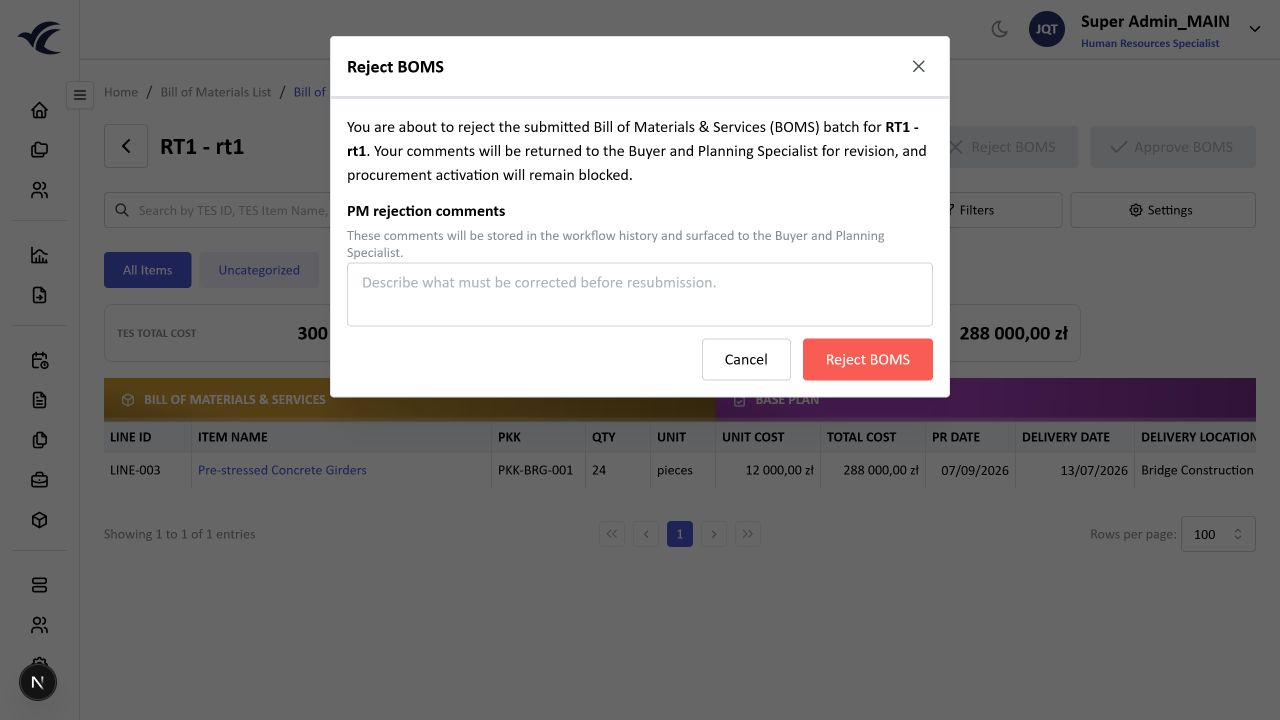
The rejection does not discard the BOMS. It keeps the batch in the planning loop and blocks procurement activation until the schedule is corrected and submitted again.
Signing Off
Approving the BOMS is the final sign-off. The confirmation explains the consequence: the Base Plan is locked and eligible lines are released for Purchase Requisition generation.
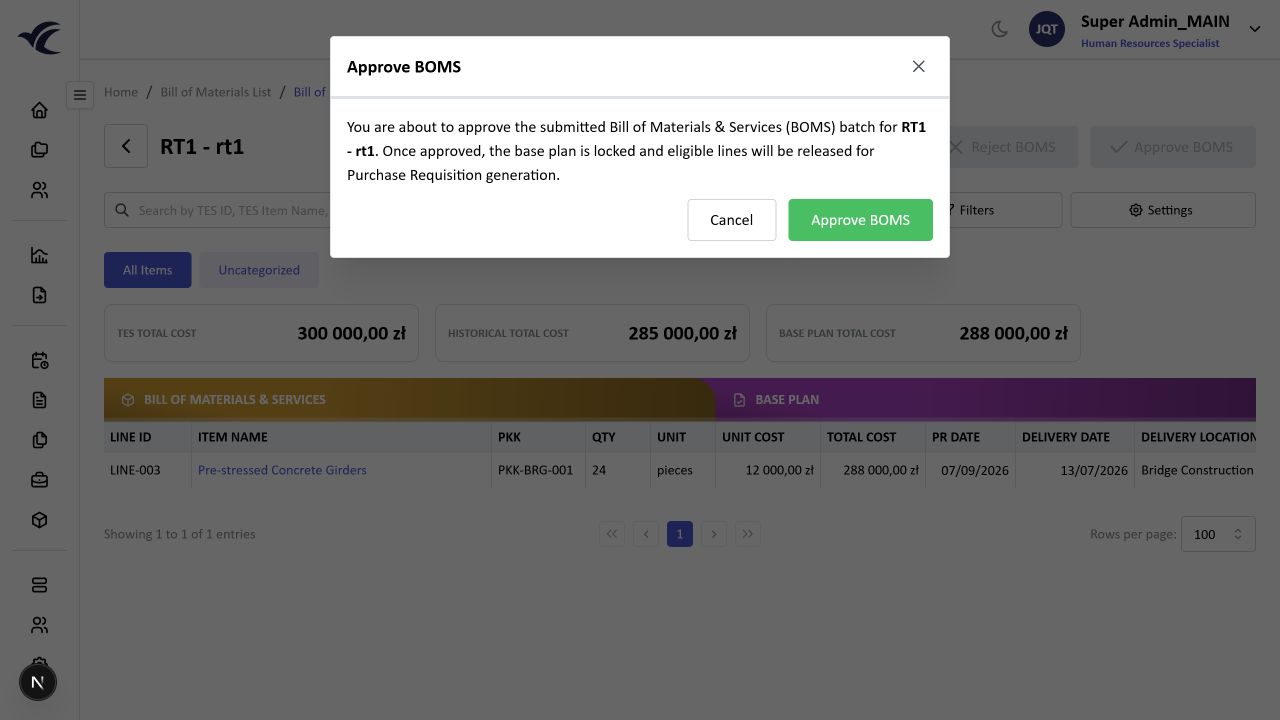
This is the point where BOMS planning stops being editable planning work and becomes a procurement baseline. After approval, the BOMS status changes to Active.
Active BOMS
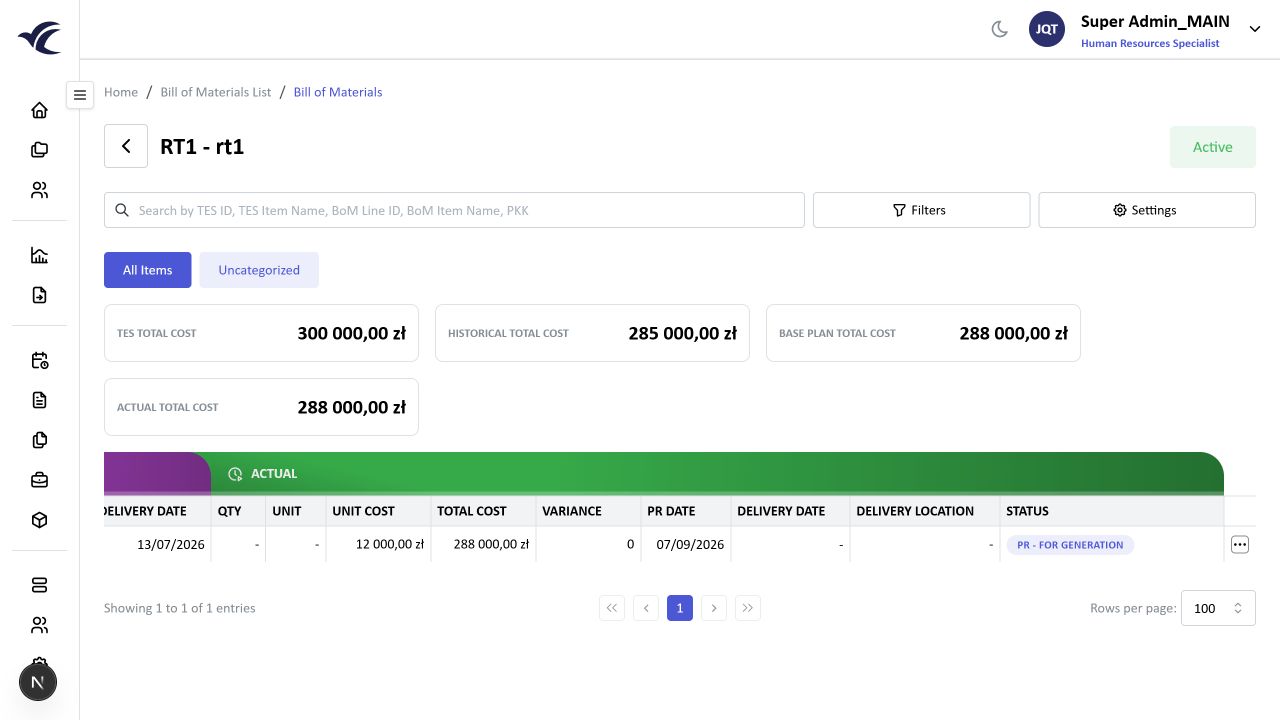
An active BOMS shows the approved Base Plan beside the Actual layer. Actual totals are visible because the procurement view now has a live layer to track against the locked plan.
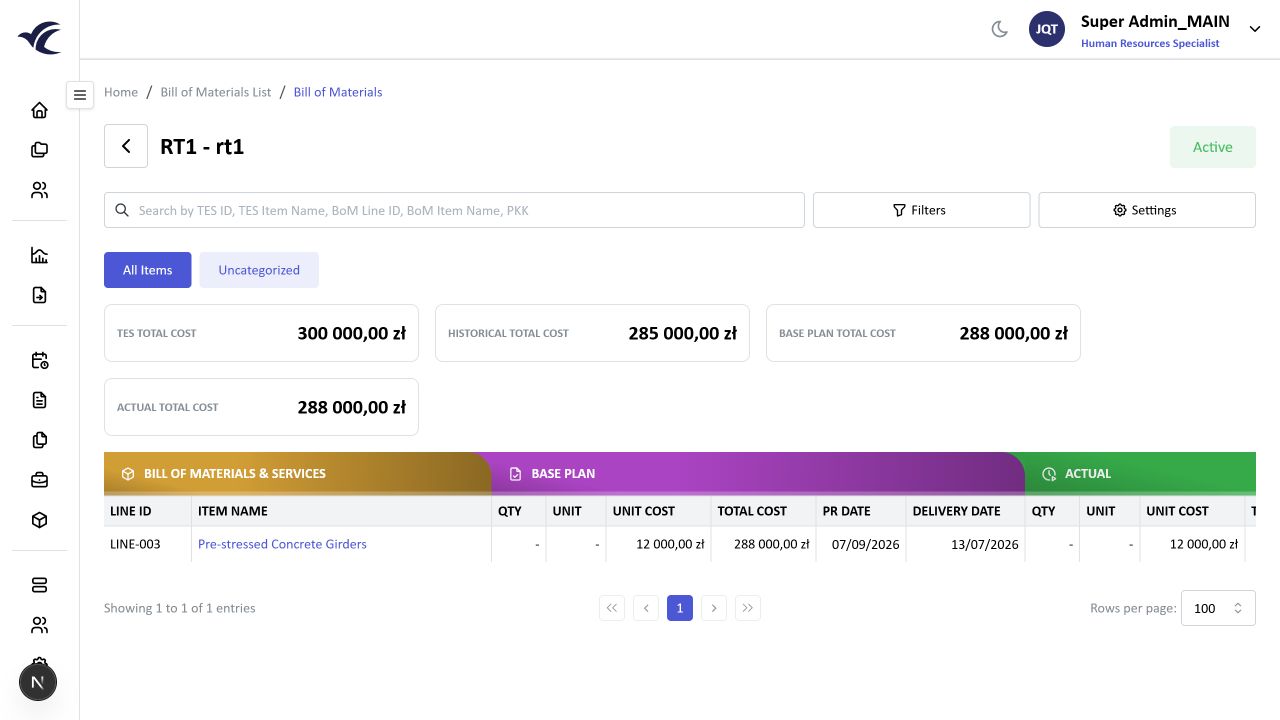
Eligible lines move to PR - For Generation. That line status is the handoff signal for project Purchase Requisition work.
Roles
The Planning Specialist completes the schedule details before final approval. If the BOMS is returned, they revise the schedule and resubmit it.
The Buyer owns the cost validation path before the final schedule review. During final rejection, buyer-facing context may still matter because the returned comments are part of the workflow history.
The Project Manager makes the final decision. They approve when the schedule is ready to become the Base Plan, or reject when the planning team needs to correct it.
Boundaries
Final approval is a status gate. It controls whether the BOMS can create project procurement work. If the action buttons are missing, check the BOMS status and whether the signed-in user is the assigned project manager.
The Base Plan belongs to BOMS planning. Purchase Requisition work starts after activation and uses eligible BOMS lines as source demand, but it does not rewrite the approved Base Plan.
The Actual layer can change as procurement progresses. Those changes should be read as operational movement against the plan, not as edits to the approved planning baseline.